# Настройка API
Первое и самое главное что нужно настроить, для того чтобы мы начали работать с Вашим аккаунтом - это подключение по API.
## ⚙️ Для того чтобы настроить раздел API
1. Зайдите в Connect:
* в МойСклад в [WILDBERRIES CONNECT](https://online.moysklad.ru/app/#apps?id=d422d996-9d6e-4605-a9a3-05855c06f984)
* в отдельную версию [TOPSELLER PRO](https://pro.topseller.ru/)
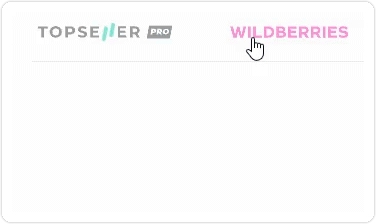
2. Нажмите на логотип маркетплейса
3. Затем нажмите на аккаунт, чтобы открылись настройки аккаунта
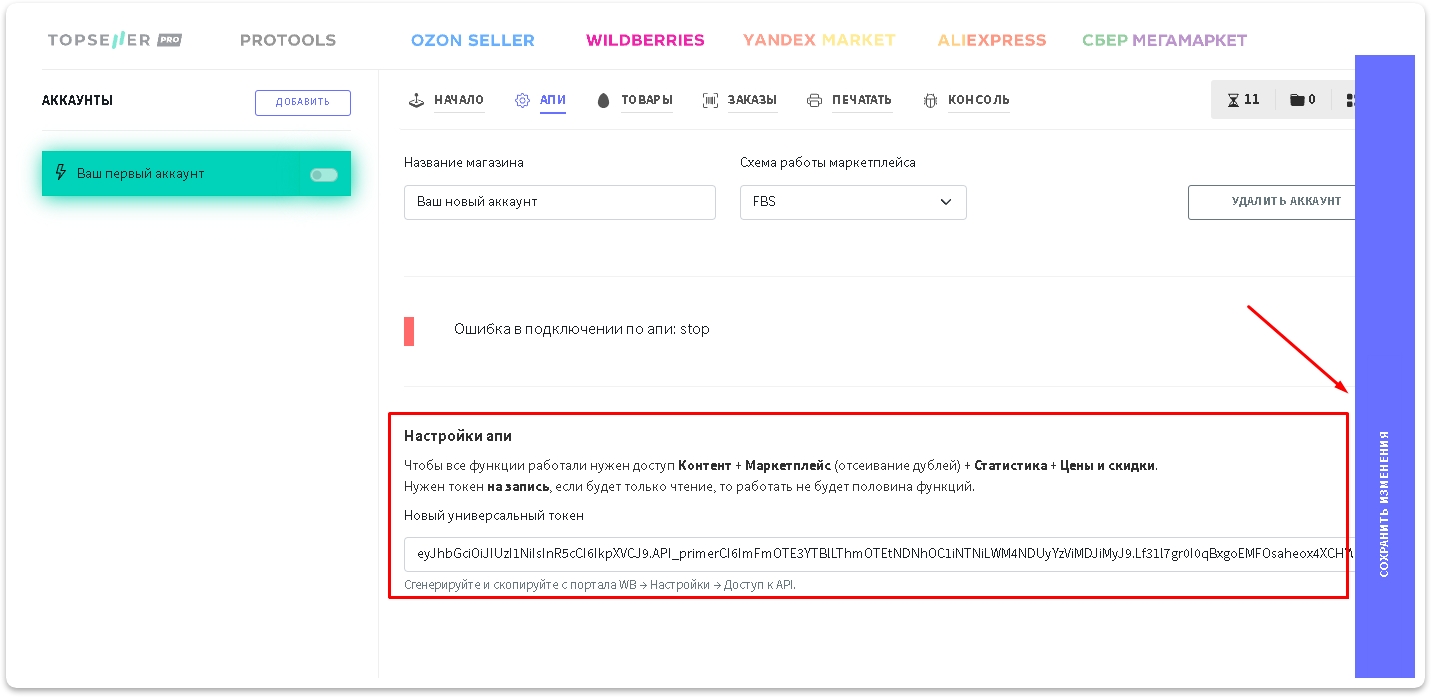
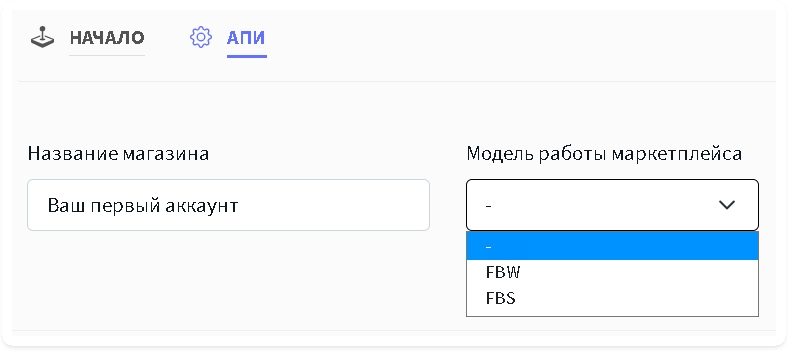
4. Перейдите в раздел `АПИ` . Выберите `Схему работы маркетплейса` и задайте удобное для Вас `Название магазина`:
* FBW (со склада Wildberries) - схема продажи, при которой ваши товары хранятся на складах Wildberries, и Wildberries отвечает за их сборку, упаковку и доставку покупателям своими силами.
* FBS (со своего склада) - схема продажи, при которой вы храните товары у себя на складе, следите за новыми заказами, собираете их и передаёте в службу доставки Wildberries.
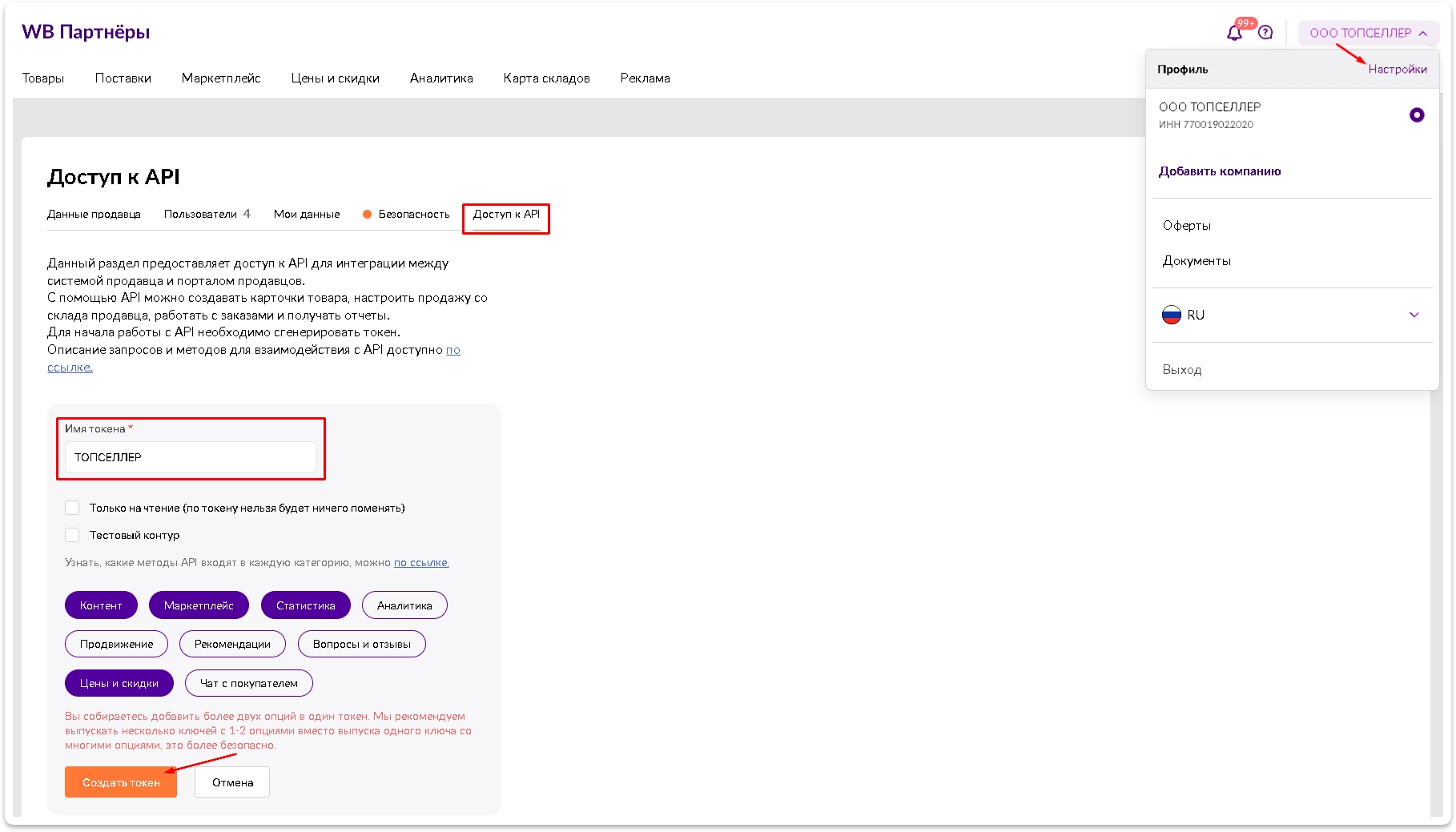
5. Нужно заполнить `Новый универсальный токен` и нажать кнопку . Получить его можно в настройках Личного кабинета Wildberries в разделе [Доступ к API](https://seller.wildberries.ru/supplier-settings/access-to-api) (сгенерировать с любым именем и доступом к Контент + Маркетплейс *(отсеивание дублей)* + Статистика + Цены и скидки)
{% hint style="info" %}
🧙♂️ **Примечание:** API ключ можно использовать общий для FBS и FBW
{% endhint %}
{% hint style="danger" %}
Кнопка может находиться в правой области браузера - особенность интерфейса Connect для МоегоСклада, который технически не позволяет разместить ее внизу формы, как все привыкли. И пользователи её теряли за полосой прокрутки. Поэтому теперь она находится справа - чтобы всегда быть в доступе и на виду.
{% endhint %}
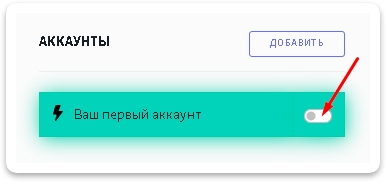
6\. После успешной авторизации по API **обязательно** включите аккаунт
---
# Agent Instructions: Querying This Documentation
If you need additional information that is not directly available in this page, you can query the documentation dynamically by asking a question.
Perform an HTTP GET request on the current page URL with the `ask` query parameter:
```
GET https://help.topseller.ru/instruction/ts-connect/wildberries/api.md?ask=
```
The question should be specific, self-contained, and written in natural language.
The response will contain a direct answer to the question and relevant excerpts and sources from the documentation.
Use this mechanism when the answer is not explicitly present in the current page, you need clarification or additional context, or you want to retrieve related documentation sections.
 3. Затем нажмите на аккаунт, чтобы открылись настройки аккаунта
 . Получить его можно в настройках Личного кабинета Wildberries в разделе [Доступ к API](https://seller.wildberries.ru/supplier-settings/access-to-api) (сгенерировать с любым именем и доступом к Контент + Маркетплейс *(отсеивание дублей)* + Статистика + Цены и скидки)